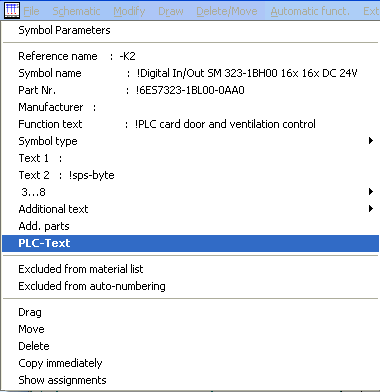
It makes no difference whether the text is entered at the main element or side element, the other page is supplemented online in each case. Select the PLC PIN of the main element by clicking with the right mouse button and the parameters are activated automatically.
Now click on the PLC text with the left mouse button. The text entry field becomes active and you can now enter and place the PLC text. After confirming with <Return>, the new text is placed at the position of the old text and the PLC text of the next PIN is automatically activated for editing. Cancel with <Esc>.
Caution
With the PLC Manager activated, the PLC text is immediately placed at the auxiliary element.