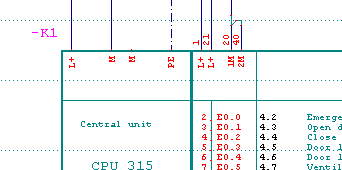
Cross references, which enable you to switch to the relevant main element or auxiliary element by clicking on the cross reference with the right mouse button, are written to the symbol. This works on all main elements and auxiliary elements whether the PLC Manager is switched on or not. Also applies to the Basic version onwards. The navigator opens the corresponding page but cannot position on the relevant element.
Example
Click on Cross reference 4.2 (with the right mouse button).
Result
The circuit diagram page with the auxiliary element is immediately loaded and the cursor is placed on the auxiliary element.
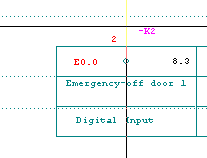
While doing so, you must make sure that you click precisely on the cross reference text, otherwise, you may find you have selected more than one (even the symbol) and will still have to select correctly.
Important
The cross reference wildcard which was placed when the PLC module was created should not lie outside the symbol. However, if the wildcard does lie outside the symbol, then the text of the wildcard must start as near [<2 mm] to the symbol body as possible. In this way, you will avoid selecting more than one at a time.