Directly on the circuit diagram
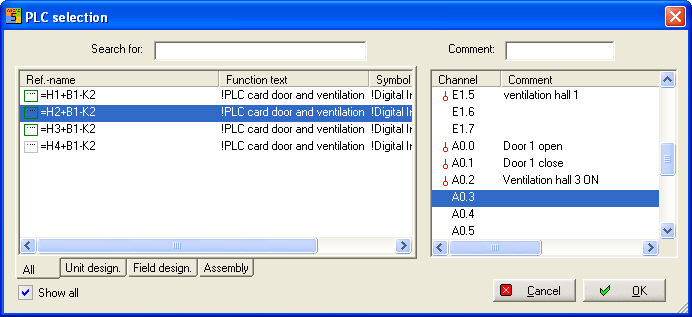
If you activate the symbol parameters, re-addressing is carried out by positioning the cursor on the auxiliary module, pressing the right mouse button and selecting the Additional text2. The PLC selection then appears with an overview of all of the PLC modules present on the circuit diagram. The selected reference name is preselected. Also pay attention to the option Show all which hides fully assigned PLC main elements or those which do not have the correct connection type. Then select the new connection. In this case, for example A0.3, the comment text is then assigned online.
Directly in the PLC Manager
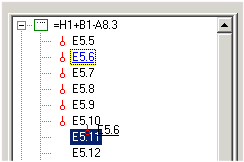
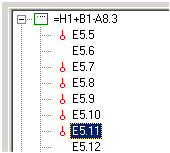
Connections (auxiliary element) of identical type can be moved both within a main element and between different main elements. To do this, you only need to move the assigned connection (auxiliary element) to the new position with the left mouse button held down (drag and drop). Alternatively, this can be done via the menu Edit / copy and then Edit / Move. Example, move Input 5.6 to 5.11.