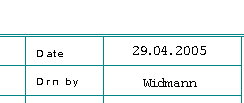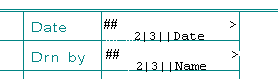
The Text allocator is a composite of formatting characters and text which is used at the specified positions to acquire information of common interest from each circuit diagram page.
The first line of the Text allocator can be made visible on the form in order to position it for example, under Parameters / Options / See all. Once the option Change / Foreign language / Manage and Translate / Main language and 1st foreign language has been activated for texts as well as the above option See all, the two lines of the Text allocators will appear.
The Text allocators Date and Editor, for example, are replaced as follows.