With menu Draw/Simple Text you can define individually text allocators with his own name.
Start the text with ‘||’ (Slave) or with ‘|#’ (Master).
With ‘||’ (Slave) there will be written one cross reference, with ‘|#’ (Master) cross references will be written on all other slaves.
Possible Assignment
Use of 2 text allocators with '||' makes a 1:1 allocation.
Use of 1 text allocators with '|#' and several '||' makes a 1:n allocation, that means on the master are written n allocations from all slaves.
Use of '|#' several times makes a n:n allocation, on every text allocator are written allocations from all others.
Features
Text allocators could finalised with '>', in this case the length delimiter is used, otherwise the internal maximal text length is used.
Important
The togetherness is accomplished with the same text, space characters are belonging to.
Examples:
'||My WSCAD' or '|#My WSCAD' or '||My WSCAD >'
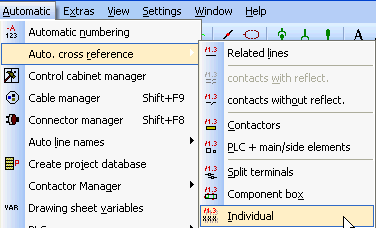
There is an own run in the menu Automatic/Auto. cross reference/Individual.
If a unmated text allocator has been found, an entry is made in the error list as well as a notice in the end with the possibility to open it.
See
Show all text, Make text invisible
Error log