The function for this output is started in the menu Automatic/Control Cabinet Manager. The necessary command is linked to an Add-On Kiesling. If you own this Add-On it is possible to create a especially WLF file.
In the case to make an output, a file name is to define which is automatically completed with the necessary file type. The view in the file dialog is reduced to the type PPR which include the drilling files.
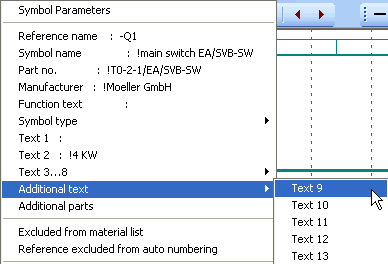
It will be used only those components (mounting plates too) which are written in the Symbol Parameters menu Additional text/Text 9. As a simple text is here only to fill in a ‘!’, so the component is considered. There is no text in the displayed file because this sign (!) is used to disable following text to display.
The output is carried out with the located components in the actual schematic of the type ‘mounting plate’ or ‘control cabinet’. In WSCAD those components of the type ‘MP’ or
‘SCH’ in the parts data base in the field cabinet.
Every component creates in the PPR output file a drilling program. The name of it is defined from the additional Text 9. Is it only ‘!’, the file name is made from the file content. If there is not any present, the project name is used.
In both cases an item is accomplished because there are more programs in one file.
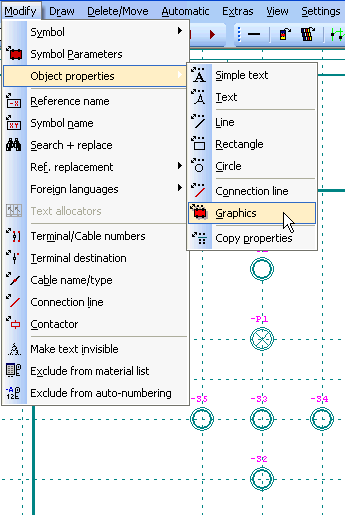
With the menu point Modify/Object properties/Graphics you will get the second menu Select. With the option Window you
can select all components which properties you like to see.
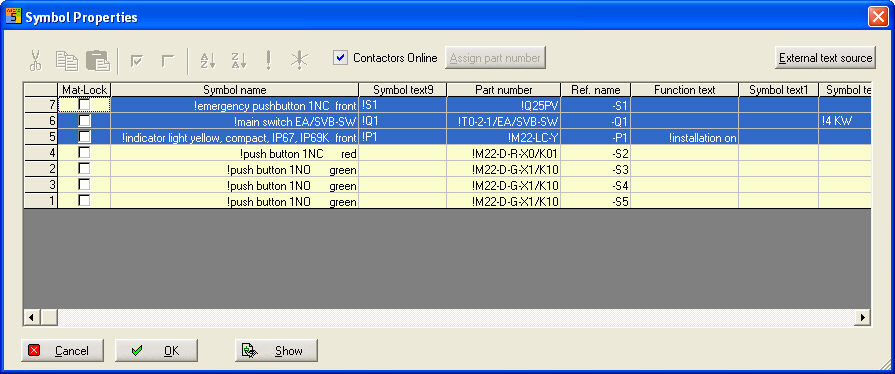
Parts which drilling information must be in either mounting plate or cabinet. Only than they could be integrated in the belonging program.
After output it is created beside PPR a PBT and a PVB file. In PBT are the used components and in PVB are the variable parts like Cable tray or Collection bar with their names and additional text of the reference name in the cabinet schematic.
Furthermore it is the information file about the dimension of the parts and the drilling information. About the drills an optional information could be added in the parts data base in the field Reserve 1. The format of the necessary data string is identical to Perforex format. The separator is the sign '#'. Normally it is not necessary in this case because the data management is done by the Perforex Software.